Write once. Post everywhere.
One composer for 10 platforms. Write your post, pick the accounts, schedule it, and move on with your day.
Most schedulers do too much and charge too much
You don't need AI captions, social listening dashboards, or a CRM bolted onto your scheduler. You need to write a post, schedule it across platforms, and get back to work. That's what Postbro does.
Composer
One composer, 10 platforms
Write your post once, then override per platform when you need to. Live character counts for every platform so you never get clipped. Add images, videos, and carousels with drag-to-reorder and per-image alt text, or upload a video and send it straight to YouTube.
- Platform-specific content overrides
- Real-time character limits per account
- Drag-to-reorder media with alt text and video covers
- Auto-save drafts while you write
Threads
Threads that just work
Auto-split long content into threads on X, Threads, Bluesky, and Mastodon. Or craft each part yourself. Each thread item gets its own character count, and you can add media to individual parts.
- Automatic thread splitting by character limit
- Manual control over each thread part
- Drag to reorder thread items
- Works across X, Threads, Bluesky, and Mastodon
Calendar
Drag & drop calendar
See your month at a glance. Drag posts to reschedule. Click any day for a detailed timeline view. No clicking through modals to move a post from Tuesday to Thursday.
- Month view with drag-and-drop rescheduling
- Day timeline for detailed scheduling
- Color-coded by status and platform
Media
Images, videos, and carousels
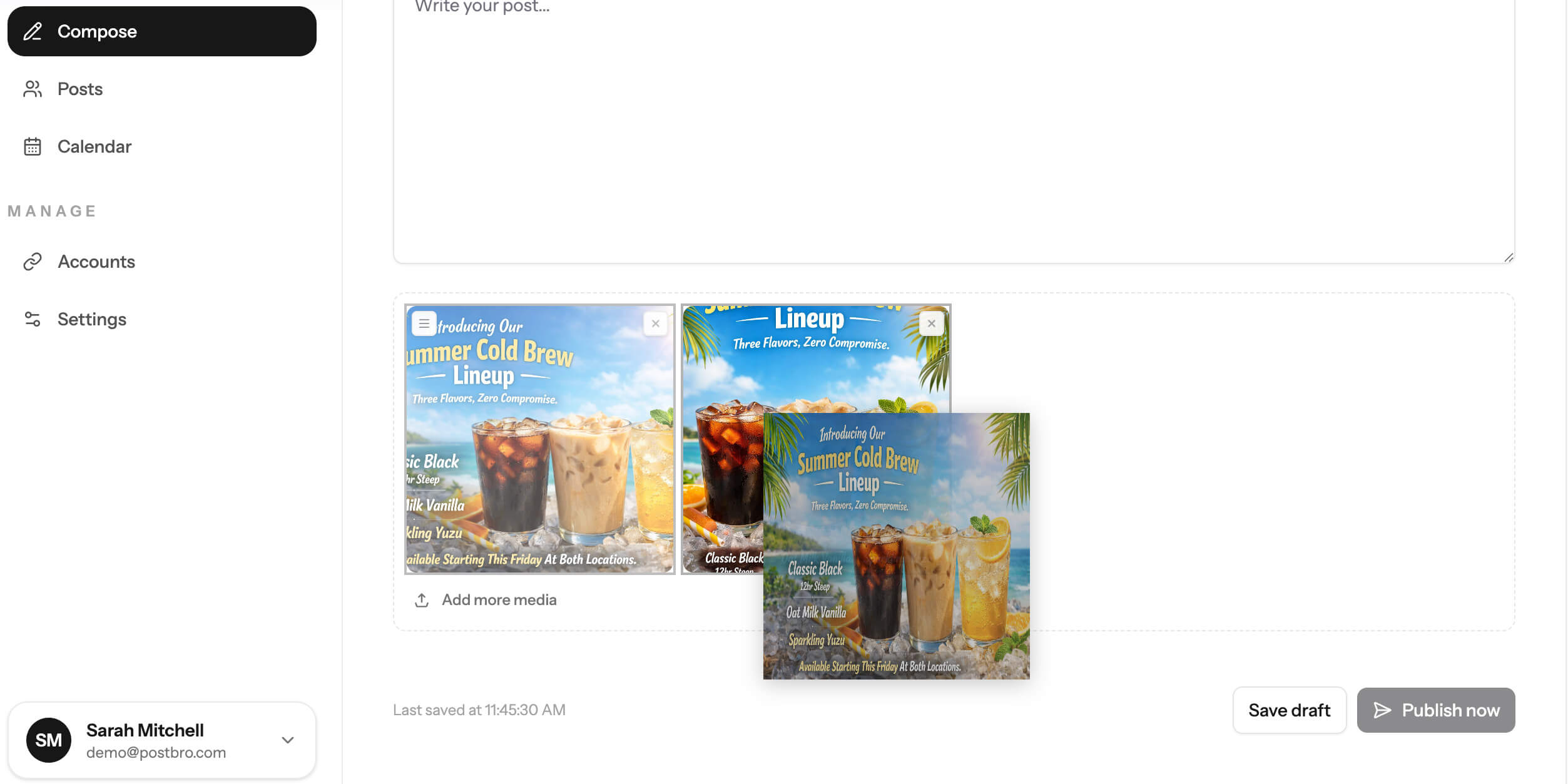
Upload photos and videos, reorder them by dragging, and add alt text per image. Platform validation catches sizing issues before you hit publish. Too large? Auto-fit handles it in one click, or crop and resize with the built-in editor.
- Drag-to-reorder with upload progress
- One-click auto-fit for oversized images (free)
- Built-in crop and resize editor with aspect presets
- Alt text and video cover image selection
- Per-platform size and format validation
Collaboration
Teams and multiple brands
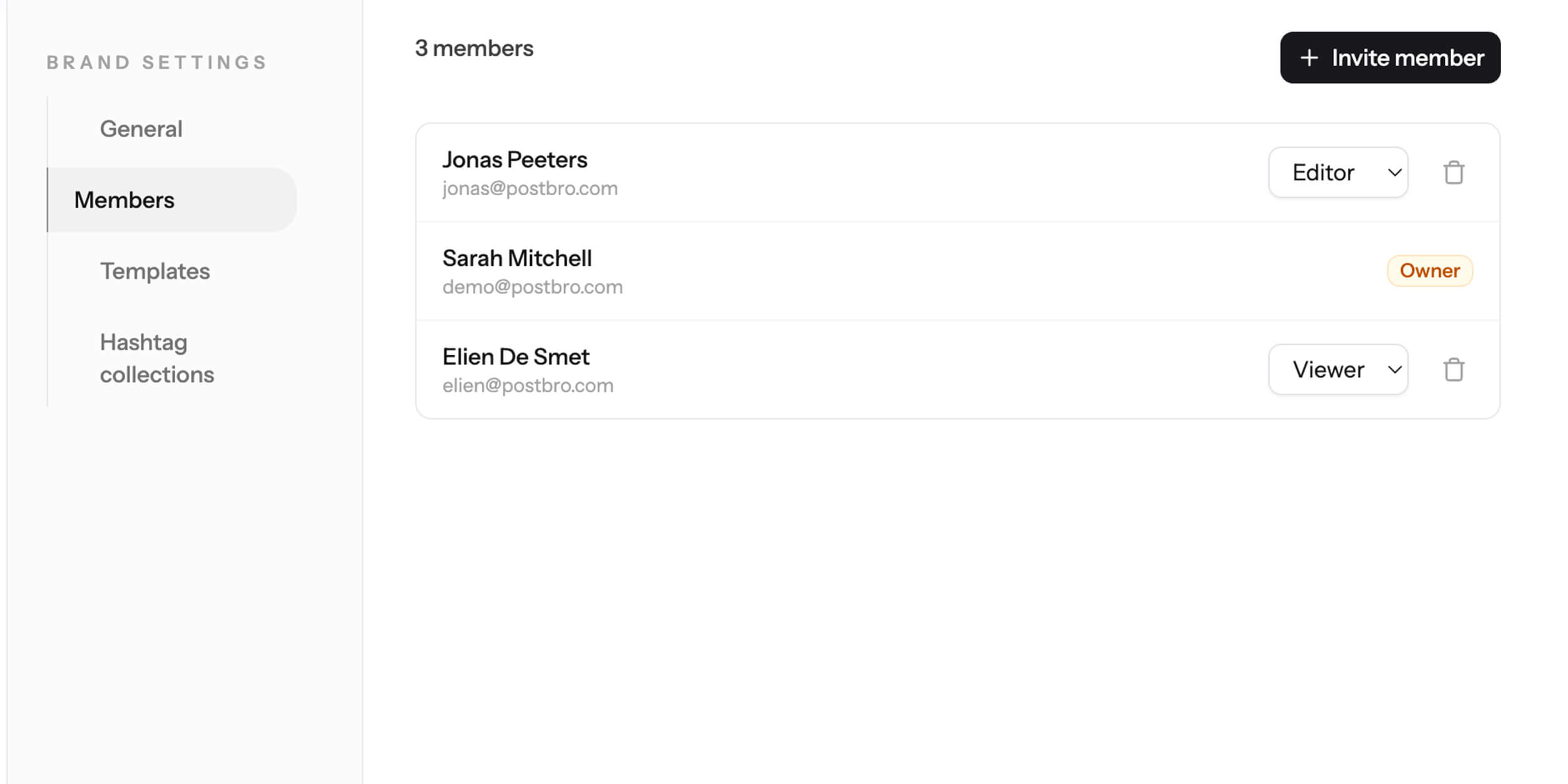
Invite your team with role-based access. Owners, admins, editors, and viewers each see what they need. Manage multiple brands from one account, and switch between them in a click.
- 4 roles: owner, admin, editor, viewer
- Invite by email, manage from brand settings
- Great for agencies, freelancers, or side projects
Analytics
See how your posts perform
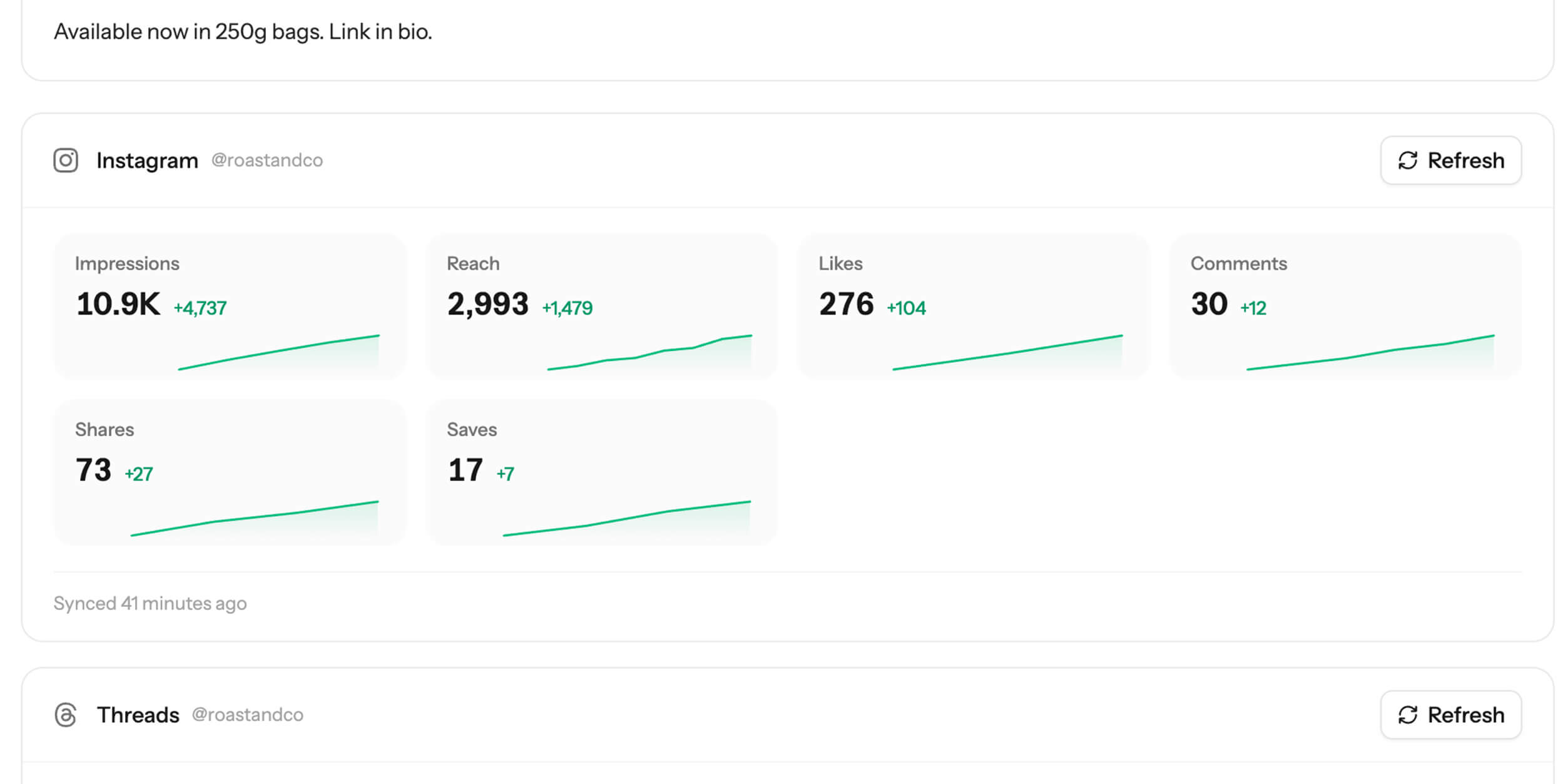
Track likes, reposts, replies, and more for every published post. Analytics are pulled automatically from each platform so you can see what's working without leaving Postbro.
- Per-platform metrics with trend sparklines
- Supports Bluesky, Mastodon, Instagram, Facebook, Threads, LinkedIn, and YouTube
- Available on all paid plans
MCP server
Let your AI agent do the posting
Postbro speaks MCP, the protocol Claude, Cursor, and other AI tools use to talk to outside services. Connect it with a brand API key and your agent can list accounts, draft posts, upload media, schedule, and publish. You keep the final say from the calendar.
- Works with Claude Code, Claude Desktop, Cursor, and VS Code
- Same brand-scoped API keys as the REST API, read-only keys included
- Ready-to-paste connection snippets in brand settings
- Available on all paid plans
$ claude mcp add --transport http postbro https://postbro.co/mcp \
    --header "Authorization: Bearer <your-api-key>"
Tools your agent gets
And all the small things that matter
Templates and hashtag collections
Save reusable post templates and hashtag groups. Insert them in the composer with one click.
Retry, duplicate, and reschedule
A post failed on one platform? Retry just that one. Want to repost something that worked? Duplicate it.
Platform-specific controls
Pinterest boards, TikTok settings, YouTube titles and privacy, content warnings on Bluesky and Mastodon. Each platform gets the options it needs.
Post dashboard
Filter by draft, scheduled, published, or failed. See per-platform status and direct links to live posts.
Timezone-aware scheduling
Schedule in your timezone. Postbro handles the conversion so your posts go out when you expect them to.
REST API and MCP server
Create, schedule, and publish posts programmatically. Upload media, manage drafts, and integrate Postbro into your own workflows or your AI agent.
Two-factor authentication
Secure your account with TOTP-based 2FA and recovery codes. Your social accounts are too important to leave unprotected.
Up and running in minutes
Connect your accounts
Link your social accounts in a few clicks. We support 10 platforms out of the box.
Write your post
Use the composer to write once, tweak per platform if needed, and add your media.
Schedule or publish now
Pick a date and time, or hit publish. Postbro handles the rest.
Pricing that makes sense
Most schedulers charge $20-30/month for basic features. Postbro starts at $12.99, and the free plan isn't a 14-day trial. It's actually free.
Free
$0
1 brand, 3 accounts
Pro plans
from $12.99/mo
More brands, more accounts, no watermark
Your next post shouldn't take 6 browser tabs
Create a free account, connect your platforms, and schedule your first post in under 5 minutes. No credit card required.